Wednesday, February 15, 2012
Wednesday, February 8, 2012
Disable SharePoint Dialog Box PopUp and Redirect to a page
In SharePoint 2010 we are getting dialog box popup when we want to add / edit list item. But if we want to disable it, then
Thursday, February 2, 2012
Tuesday, January 10, 2012
Add Chart WebPart In SharePoint 2010
1.Add a webpart
2.Giving error
3. Run Farm Wizard
4. Create "Managed Metadata Service"
5.Skip creating first site for the web application
6. Getting the Chart WebPart with basic sketch
Thursday, January 5, 2012
SharePoint 2010 Change Default Search Service
If we have created a separate search service application for our client, we need to set customized search service as default search service. We can do it through Central Administration.
we can select the customized "Search Service" for each and every web application.
Wednesday, December 21, 2011
SharePoint 2010 Resource Throttling
When we are heavily using SharePoint we need to increase default resources.
If any LIST is going to exceed 20,000 item limit we have to increase the default count.
1. go to "Central administration "
2. Go to web applications list
3. Select the needed web application
4. go to "General settings" on the menu bar
5. select "Resource settings"
If any LIST is going to exceed 20,000 item limit we have to increase the default count.
1. go to "Central administration "
2. Go to web applications list
3. Select the needed web application
4. go to "General settings" on the menu bar
5. select "Resource settings"
6. Set the maximum items count (List View Threshold) or maximum number of lookup fields
Tuesday, December 20, 2011
SharePoint 2010 Search return no results
1. Do a "Crawl"
2. Go to "Crawl Log"
3. Have a look on the "SharePoint Log"
4. It is because of "Alternative Access Mapping", SharePoint Application server can't get data from itself when ACM is enabled.
Solution
So you need to disable the LoopBackRequest in registry. To do this, just follow my instructions:
1. Go to command window and type regedit.exe
2. Once opened the registry editor, just navigate to "HKEY_LOCAL_MACHINE\SYSTEM\CurrentControlSet\Control\Lsa"
3. Right click on "Lsa" and create a new 32bit DWORD value
4. Rename it as "DisableLoopbackCheck" (Note: you cannot rename it actually. so, once created the DWORD value, directly paste/type as "DisableLoopbackCheck".
5. Then again modify the value of "DisableLoopbackCheck" as "1"
6. Close the registry editor.
7. Now start to crawl the content.
So you need to disable the LoopBackRequest in registry. To do this, just follow my instructions:
1. Go to command window and type regedit.exe
2. Once opened the registry editor, just navigate to "HKEY_LOCAL_MACHINE\SYSTEM\CurrentControlSet\Control\Lsa"
3. Right click on "Lsa" and create a new 32bit DWORD value
4. Rename it as "DisableLoopbackCheck" (Note: you cannot rename it actually. so, once created the DWORD value, directly paste/type as "DisableLoopbackCheck".
5. Then again modify the value of "DisableLoopbackCheck" as "1"
6. Close the registry editor.
7. Now start to crawl the content.
5. Do a Re-Crawl
SharePoint 2010 Search Advanced
1. Create a separate "Search Service Application"
2. Add SharePoint account in to "Administrator"group
3. Click on the service application
4. Go to "Content Sources"
5. Type the URLs (eg:- http://Intranet)
6. Go to "Scopes" and then Click "Edit"
7. Set the web address or content source
8. Set "Scopes"
9.Set "Scope rules"
10.Set the "Crawl Rules"
11. Crawling Full
12. Crawling Incremental
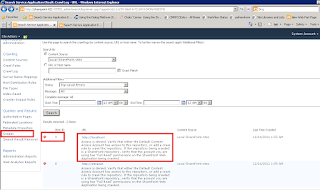
13. Go to "Crawl Log" and see the "Statistics"
14. "Crawl" success with green color icon
15. Filter "Crawl Items" if you have 1000+ items
Tuesday, December 6, 2011
SharePoint 2010 User Profile Sync
1. We have to create user profile connection in central administration
2.Populate data from AD
"Update-SPProfilePhotoStore -CreateThumbnailsForImportedPhotos 1 -MySiteHostLocation http://SharePoint-T02/my"
8.Verify Images in "http://Intranet/my/User Photos/"
2.Populate data from AD
3.Restart User Profile Synchronization service
4. Edit User Property (Picture property)
5. Map with AD property (ThumbnailPhoto)
6. Start the User Profile SYNC
7.Run the powershell command"Update-SPProfilePhotoStore -CreateThumbnailsForImportedPhotos 1 -MySiteHostLocation http://SharePoint-T02/my"
8.Verify Images in "http://Intranet/my/User Photos/"
DONE :)
Now AD user images should display in Mysite of all users.
NB:- SharePoint 2010 should be updated with SP1 to get the images from to SharePoint
Subscribe to:
Posts (Atom)