
We have lost our sharepoint portal + all other data bases.
Then we had to get data from our backup DB.
To get this data i have written a application.
It gets all files other than images (sharepoint) & unwanted files.
This also create folder structure according to portal.
Simple application :) :) :) :)
Download Direct Application
Download App through megashare
Showing posts with label backup restore. Show all posts
Showing posts with label backup restore. Show all posts
Friday, June 4, 2010

Tfs Backup Restore
(1) Backup all TFS Databases to physical location (D:\TfsBackups)
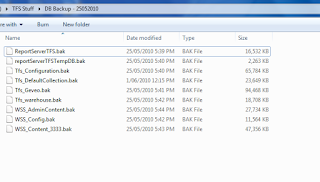
(2) Restore all the databases to TFS2010’s instance of SQL Server
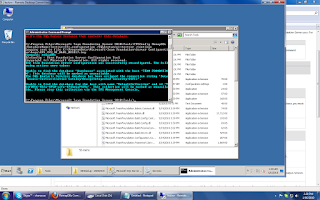
(3) Run following command in cmd as administrator
C:\Program Files\Microsoft Team Foundation Server 2010\Tools>TFSConfig RemapDBs
/DatabaseName:Testsvr;Tfs_configuration /SQLInstances:testsvr /continue
(Continue is really important, if fails first time then run it again)
(3) Install Team Foundation Server 2010
(4) After the install has completed the Team Foundation Server Configuration Wizard will open
Select Upgrade | Start Wizard
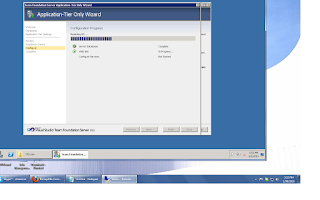
(If you run Basic/Standard/Advance option other than Upgrade, you will get following error)
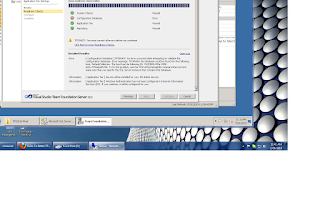
(5) Now you can go to "team foundation administration console"
You will see all your team collections
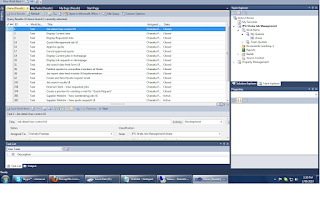
(6) Finally connects to the Team Server through Team Explorer
 :) :) :) :)

(2) Restore all the databases to TFS2010’s instance of SQL Server
(3) Run following command in cmd as administrator
C:\Program Files\Microsoft Team Foundation Server 2010\Tools>TFSConfig RemapDBs
/DatabaseName:Testsvr;Tfs_configuration /SQLInstances:testsvr /continue
(Continue is really important, if fails first time then run it again)

(3) Install Team Foundation Server 2010
(4) After the install has completed the Team Foundation Server Configuration Wizard will open
Select Upgrade | Start Wizard

(If you run Basic/Standard/Advance option other than Upgrade, you will get following error)

(5) Now you can go to "team foundation administration console"
You will see all your team collections
(6) Finally connects to the Team Server through Team Explorer
 :) :) :) :)
Monday, June 15, 2009
Sharepoint backup & restore using STSADM
C:\Documents and Settings\Administrator>cd C:\Program Files\Common Files\Microso
ft Shared\web server extensions\12\bin
C:\Program Files\Common Files\Microsoft Shared\web server extensions\12\BIN>stsadm -o backup -url http://sharepoint:5555/ -filename chana.bak
///Chana.bak is the name back up file
Operation completed successfully.
//// get the file from ‘12\bin\’ folder in development machine
//// transfer to the SERVER & put into ‘12\bin\’
C:\Program Files\Common Files\Microsoft Shared\web server extensions\12\BIN>stsadm -o restore -url http://sharepoint:5555/ -overwrite -filename chana.bak
Operation completed successfully.
Subscribe to:
Posts (Atom)